





ESR AirStance Magnetic Case
Sélectionnez un modèle
Video is coming soon
Video is coming soon
FAQ
Need help? Our support team will reply within one business day.
Useful?
Sélectionnez un modèle
Video is coming soon
Video is coming soon
FAQ
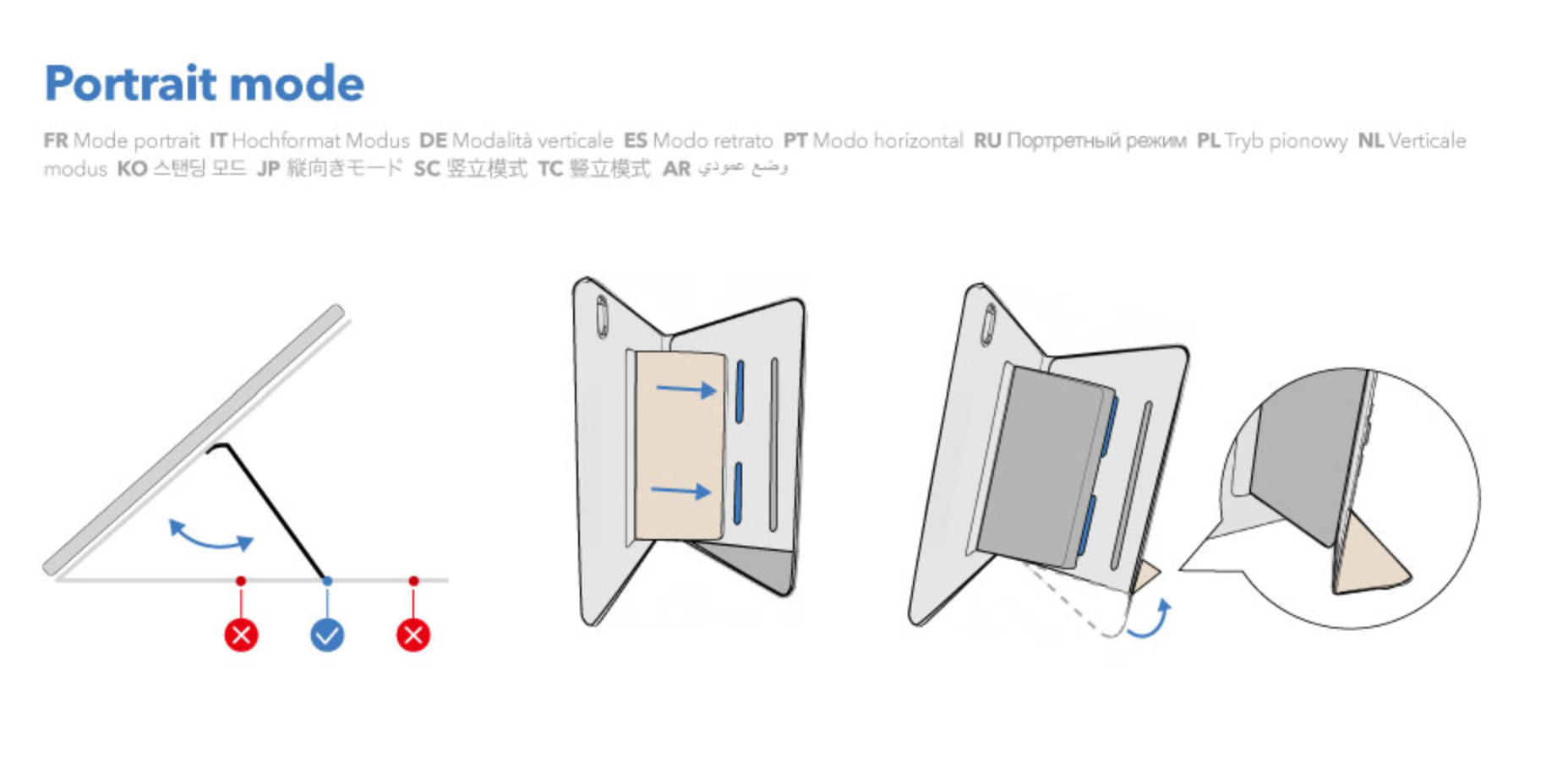
1.Check the Stand Position: Make sure the stand is placed in the middle support slot. Placing it in the side support slots may cause instability or tipping in portrait mode.
2.Refer to the User Manual: If the issue persists, we recommend carefully reviewing the product manual or watching the provided instructional video to ensure proper installation and usage.
3.Avoid Improper Operation: Do not use portrait mode if the stand is not installed correctly, as this may result in device damage or safety risks
Magnet positions vary by iPad model. If your case is designed for a different iPad model, it may not attach properly or may have a weak magnetic connection.
First, remove any other case from your iPad and try attaching the case again. If the magnetic connection is still weak, check your iPad model to make sure it is compatible with your case.
To find your iPad model:
- Open the Settings app, then General.
- Tap About.
- Find Model Number. The number displayed is the part number.
- Tap the part number to view the model number.
Compare your iPad model with the compatible models listed for your case.
Gently wipe the case with a damp cloth or an alcohol wipe to remove dirt. However, pen and ink stains may be difficult to remove completely. To prevent staining, avoid contact with pens, ink, and other substances that may leave marks.
Please send us a photo of the item you received, along with your shipping address, and we will send a free replacement.
Need help? Our support team will reply within one business day.
Useful?


