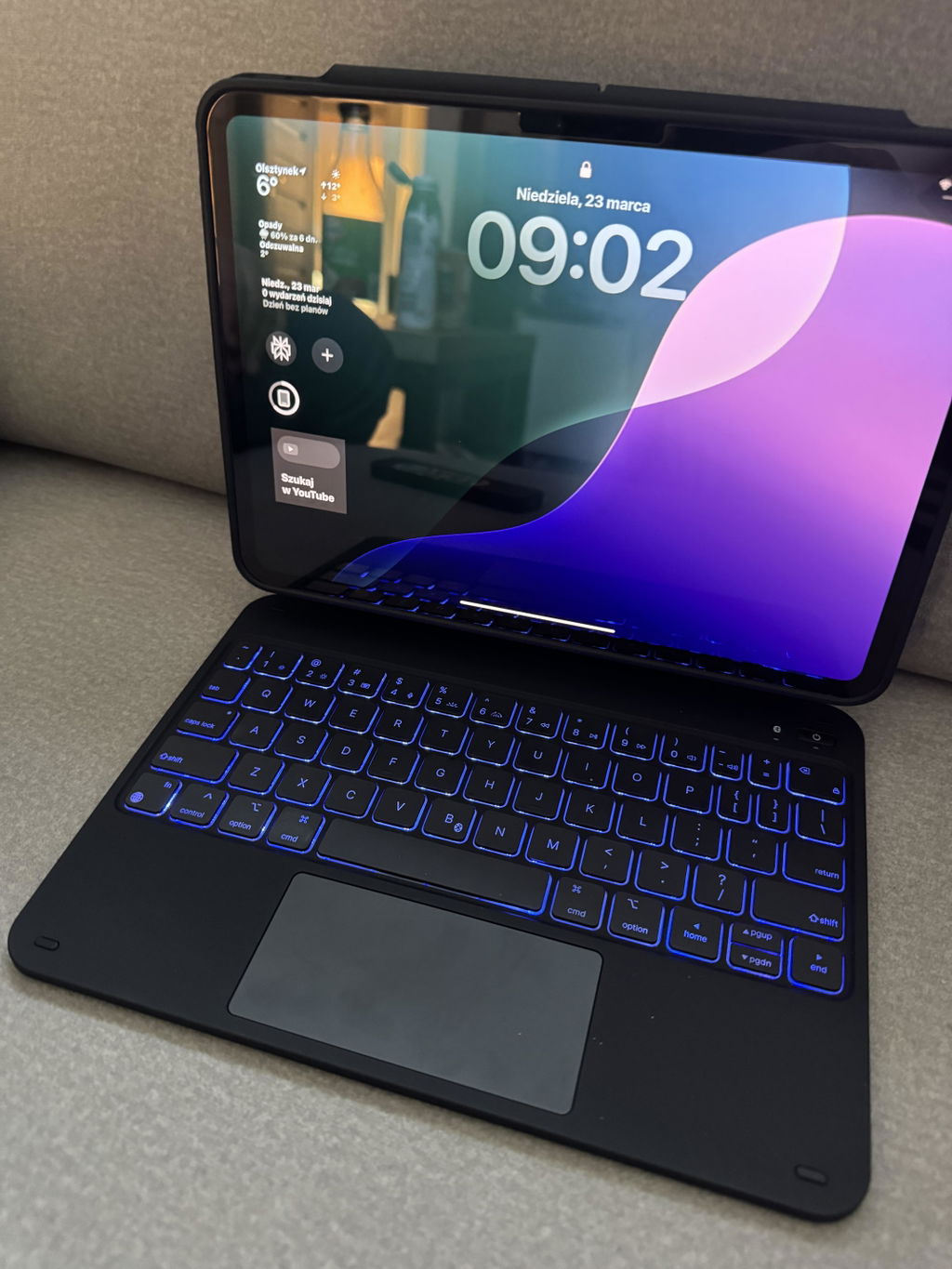
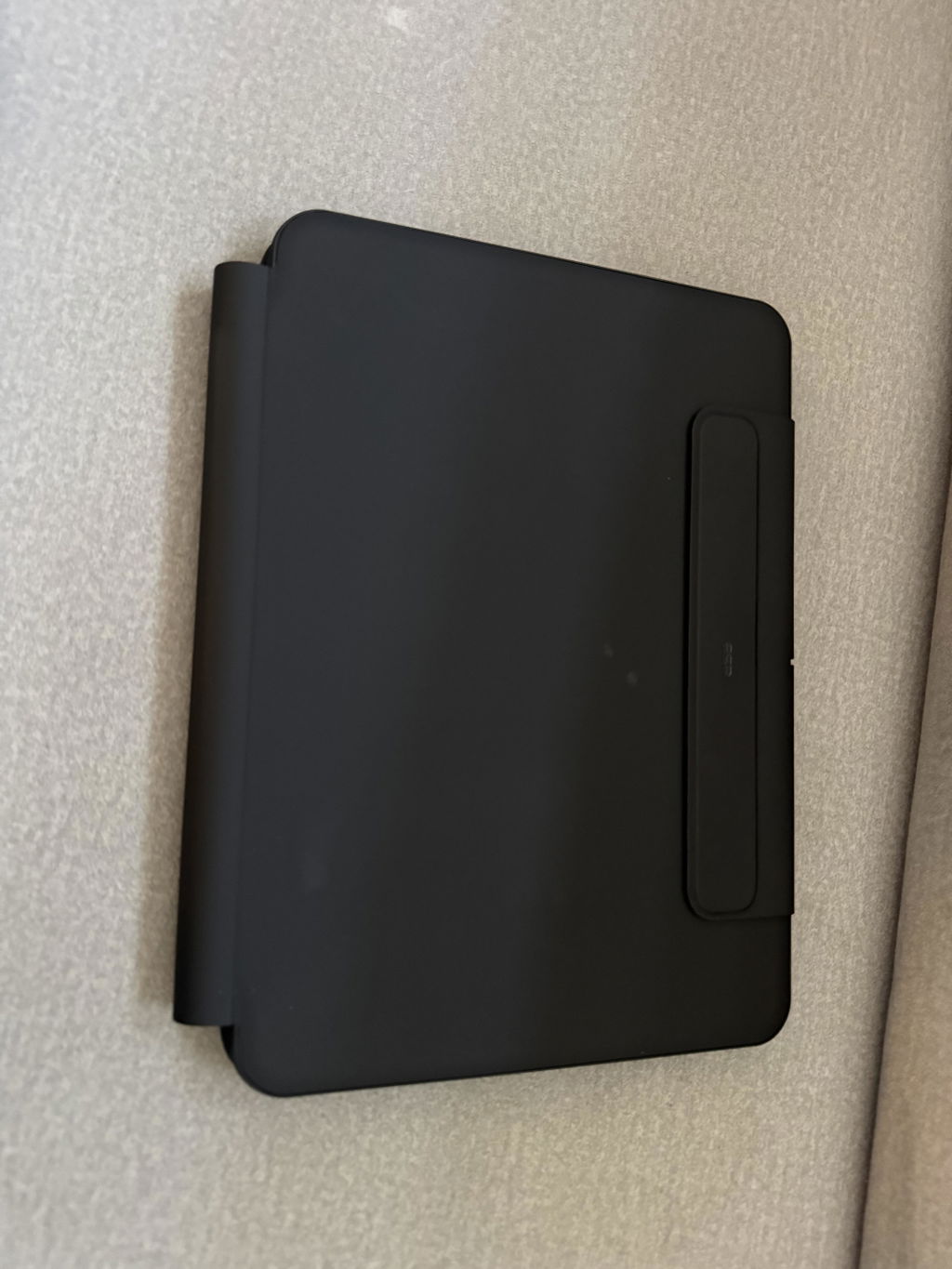
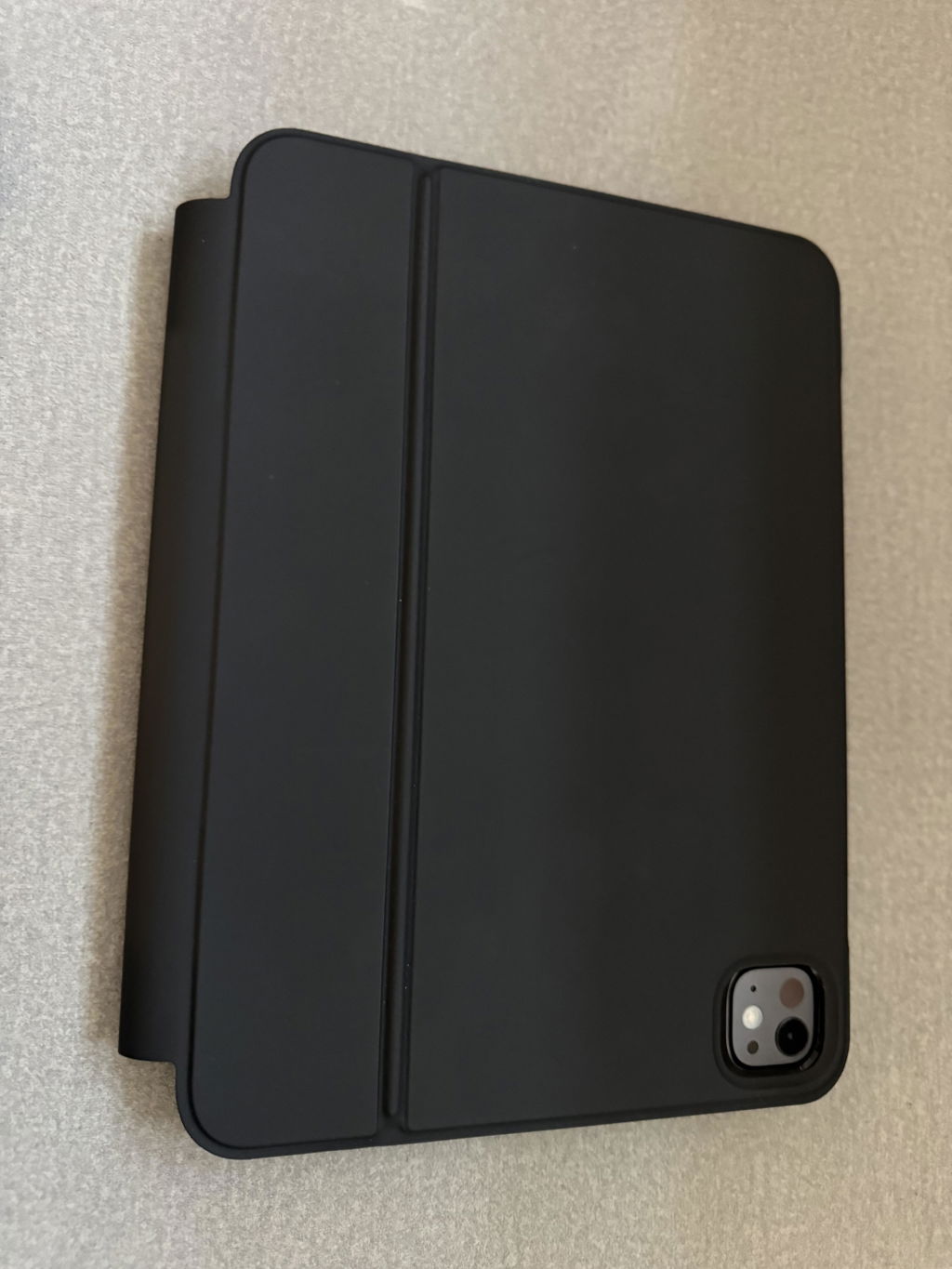
Créez des chefs-d'œuvre ou prenez des notes en mode portrait, paysage ou écran surélevé tout en vous assurant que votre iPad est toujours protégé
iPad Pro 11 pouces (2024)
iPad Pro 13" (2025)
iPad Pro 11" (2025)
iPad Pro 11 pouces (2024)
iPad Air 11ʺ (2024)/Air 10.9 (5e/4e génération)/ Pro 11 (4e/3e/2e/1re génération)
iPad Air 13 pouces (2024)
iPad Pro 13 pouces (2024)
[{"index":"1","title":"iPad Pro 13ʺ (2025) Rebound Magnetic Keyboard Case 360 Pencil Bundle - US Layout-White","id":"8976732324089","handle":"rebound-360-white-ipad-pro-13-m5-tablet-case-and-pencil-bundle","metafields":{"compose":{"device":"iPad Pro 13" (2025)","product_list":"gid://shopify/Metaobject/86099394809","style":"US Layout-White"}},"market_country":{"AC":true,"AD":true,"AE":true,"AF":true,"AG":true,"AI":true,"AL":true,"AM":true,"AN":true,"AO":true,"AR":true,"AT":true,"AU":true,"AW":true,"AX":true,"AZ":true,"BA":true,"BB":true,"BD":true,"BE":true,"BF":true,"BG":true,"BH":true,"BI":true,"BJ":true,"BL":true,"BM":true,"BN":true,"BO":true,"BQ":true,"BR":true,"BS":true,"BT":true,"BV":true,"BW":true,"BY":true,"BZ":true,"CA":true,"CC":true,"CD":true,"CF":true,"CG":true,"CH":true,"CI":true,"CK":true,"CL":true,"CM":true,"CN":true,"CO":true,"CR":true,"CU":true,"CV":true,"CW":true,"CX":true,"CY":true,"CZ":true,"DE":true,"DJ":true,"DK":true,"DM":true,"DO":true,"DZ":true,"EC":true,"EE":true,"EG":true,"EH":true,"ER":true,"ES":true,"ET":true,"FI":true,"FJ":true,"FK":true,"FO":true,"FR":true,"GA":true,"GB":true,"GD":true,"GE":true,"GF":true,"GG":true,"GH":true,"GI":true,"GL":true,"GM":true,"GN":true,"GP":true,"GQ":true,"GR":true,"GS":true,"GT":true,"GW":true,"GY":true,"HK":true,"HM":true,"HN":true,"HR":true,"HT":true,"HU":true,"ID":true,"IE":true,"IL":true,"IM":true,"IN":true,"IO":true,"IQ":true,"IR":true,"IS":true,"IT":true,"JE":true,"JM":true,"JO":true,"JP":true,"KE":true,"KG":true,"KH":true,"KI":true,"KM":true,"KN":true,"KP":true,"KR":true,"KW":true,"KY":true,"KZ":true,"LA":true,"LB":true,"LC":true,"LI":true,"LK":true,"LR":true,"LS":true,"LT":true,"LU":true,"LV":true,"LY":true,"MA":true,"MC":true,"MD":true,"ME":true,"MF":true,"MG":true,"MK":true,"ML":true,"MM":true,"MN":true,"MO":true,"MQ":true,"MR":true,"MS":true,"MT":true,"MU":true,"MV":true,"MW":true,"MX":true,"MY":true,"MZ":true,"NA":true,"NC":true,"NE":true,"NF":true,"NG":true,"NI":true,"NL":true,"NO":true,"NP":true,"NR":true,"NU":true,"NZ":true,"OM":true,"PA":true,"PE":true,"PF":true,"PG":true,"PH":true,"PK":true,"PL":true,"PM":true,"PN":true,"PS":true,"PT":true,"PY":true,"QA":true,"RE":true,"RO":true,"RS":true,"RU":true,"RW":true,"SA":true,"SB":true,"SC":true,"SD":true,"SE":true,"SG":true,"SH":true,"SI":true,"SJ":true,"SK":true,"SL":true,"SM":true,"SN":true,"SO":true,"SR":true,"SS":true,"ST":true,"SV":true,"SX":true,"SY":true,"SZ":true,"TA":true,"TC":true,"TD":true,"TF":true,"TG":true,"TH":true,"TJ":true,"TK":true,"TL":true,"TM":true,"TN":true,"TO":true,"TR":true,"TT":true,"TV":true,"TW":true,"TZ":true,"UA":true,"UG":true,"UM":true,"US":true,"UY":true,"UZ":true,"VA":true,"VC":true,"VE":true,"VG":true,"VN":true,"VU":true,"WF":true,"WS":true,"XK":true,"YE":true,"YT":true,"ZA":true,"ZM":true,"ZW":true,"ZZ":true}},{"index":"2","title":"iPad Pro 13ʺ (2025) Étui à clavier magnétique Rebound et stylet 360° - US Layout-Black","id":"8976732258553","handle":"black-ipad-pro-13-m5-coque-clavier-avec-pencil-bundle-rebound-360","metafields":{"compose":{"device":"iPad Pro 13" (2025)","product_list":"gid://shopify/Metaobject/86099394809","style":"US Layout-Black"}},"market_country":{"AC":true,"AD":true,"AE":true,"AF":true,"AG":true,"AI":true,"AL":true,"AM":true,"AN":true,"AO":true,"AR":true,"AT":true,"AU":true,"AW":true,"AX":true,"AZ":true,"BA":true,"BB":true,"BD":true,"BE":true,"BF":true,"BG":true,"BH":true,"BI":true,"BJ":true,"BL":true,"BM":true,"BN":true,"BO":true,"BQ":true,"BR":true,"BS":true,"BT":true,"BV":true,"BW":true,"BY":true,"BZ":true,"CA":true,"CC":true,"CD":true,"CF":true,"CG":true,"CH":true,"CI":true,"CK":true,"CL":true,"CM":true,"CN":true,"CO":true,"CR":true,"CU":true,"CV":true,"CW":true,"CX":true,"CY":true,"CZ":true,"DE":false,"DJ":true,"DK":true,"DM":true,"DO":true,"DZ":true,"EC":true,"EE":true,"EG":true,"EH":true,"ER":true,"ES":true,"ET":true,"FI":true,"FJ":true,"FK":true,"FO":true,"FR":true,"GA":true,"GB":true,"GD":true,"GE":true,"GF":true,"GG":true,"GH":true,"GI":true,"GL":true,"GM":true,"GN":true,"GP":true,"GQ":true,"GR":true,"GS":true,"GT":true,"GW":true,"GY":true,"HK":true,"HM":true,"HN":true,"HR":true,"HT":true,"HU":true,"ID":true,"IE":true,"IL":true,"IM":true,"IN":true,"IO":true,"IQ":true,"IR":true,"IS":true,"IT":true,"JE":true,"JM":true,"JO":true,"JP":true,"KE":true,"KG":true,"KH":true,"KI":true,"KM":true,"KN":true,"KP":true,"KR":true,"KW":true,"KY":true,"KZ":true,"LA":true,"LB":true,"LC":true,"LI":true,"LK":true,"LR":true,"LS":true,"LT":true,"LU":true,"LV":true,"LY":true,"MA":true,"MC":true,"MD":true,"ME":true,"MF":true,"MG":true,"MK":true,"ML":true,"MM":true,"MN":true,"MO":true,"MQ":true,"MR":true,"MS":true,"MT":true,"MU":true,"MV":true,"MW":true,"MX":true,"MY":true,"MZ":true,"NA":true,"NC":true,"NE":true,"NF":true,"NG":true,"NI":true,"NL":true,"NO":true,"NP":true,"NR":true,"NU":true,"NZ":true,"OM":true,"PA":true,"PE":true,"PF":true,"PG":true,"PH":true,"PK":true,"PL":true,"PM":true,"PN":true,"PS":true,"PT":true,"PY":true,"QA":true,"RE":true,"RO":true,"RS":true,"RU":true,"RW":true,"SA":true,"SB":true,"SC":true,"SD":true,"SE":true,"SG":true,"SH":true,"SI":true,"SJ":true,"SK":true,"SL":true,"SM":true,"SN":true,"SO":true,"SR":true,"SS":true,"ST":true,"SV":true,"SX":true,"SY":true,"SZ":true,"TA":true,"TC":true,"TD":true,"TF":true,"TG":true,"TH":true,"TJ":true,"TK":true,"TL":true,"TM":true,"TN":true,"TO":true,"TR":true,"TT":true,"TV":true,"TW":true,"TZ":true,"UA":true,"UG":true,"UM":true,"US":true,"UY":true,"UZ":true,"VA":true,"VC":true,"VE":true,"VG":true,"VN":true,"VU":true,"WF":true,"WS":true,"XK":true,"YE":true,"YT":true,"ZA":true,"ZM":true,"ZW":true,"ZZ":true}},{"index":"3","title":"iPad Pro 11ʺ (2025) Rebound Magnetic Keyboard Case 360 Pencil Bundle - US Layout-Black","id":"8976732455161","handle":"rebound-360-black-ipad-pro-11-m5-tablet-case-with-pencil-bundle","metafields":{"compose":{"device":"iPad Pro 11" (2025)","product_list":"gid://shopify/Metaobject/86099394809","style":"US Layout-Black"}},"market_country":{"AC":true,"AD":true,"AE":true,"AF":true,"AG":true,"AI":true,"AL":true,"AM":true,"AN":true,"AO":true,"AR":true,"AT":true,"AU":true,"AW":true,"AX":true,"AZ":true,"BA":true,"BB":true,"BD":true,"BE":true,"BF":true,"BG":true,"BH":true,"BI":true,"BJ":true,"BL":true,"BM":true,"BN":true,"BO":true,"BQ":true,"BR":true,"BS":true,"BT":true,"BV":true,"BW":true,"BY":true,"BZ":true,"CA":true,"CC":true,"CD":true,"CF":true,"CG":true,"CH":true,"CI":true,"CK":true,"CL":true,"CM":true,"CN":true,"CO":true,"CR":true,"CU":true,"CV":true,"CW":true,"CX":true,"CY":true,"CZ":true,"DE":false,"DJ":true,"DK":true,"DM":true,"DO":true,"DZ":true,"EC":true,"EE":true,"EG":true,"EH":true,"ER":true,"ES":true,"ET":true,"FI":true,"FJ":true,"FK":true,"FO":true,"FR":true,"GA":true,"GB":true,"GD":true,"GE":true,"GF":true,"GG":true,"GH":true,"GI":true,"GL":true,"GM":true,"GN":true,"GP":true,"GQ":true,"GR":true,"GS":true,"GT":true,"GW":true,"GY":true,"HK":true,"HM":true,"HN":true,"HR":true,"HT":true,"HU":true,"ID":true,"IE":true,"IL":true,"IM":true,"IN":true,"IO":true,"IQ":true,"IR":true,"IS":true,"IT":true,"JE":true,"JM":true,"JO":true,"JP":true,"KE":true,"KG":true,"KH":true,"KI":true,"KM":true,"KN":true,"KP":true,"KR":true,"KW":true,"KY":true,"KZ":true,"LA":true,"LB":true,"LC":true,"LI":true,"LK":true,"LR":true,"LS":true,"LT":true,"LU":true,"LV":true,"LY":true,"MA":true,"MC":true,"MD":true,"ME":true,"MF":true,"MG":true,"MK":true,"ML":true,"MM":true,"MN":true,"MO":true,"MQ":true,"MR":true,"MS":true,"MT":true,"MU":true,"MV":true,"MW":true,"MX":true,"MY":true,"MZ":true,"NA":true,"NC":true,"NE":true,"NF":true,"NG":true,"NI":true,"NL":true,"NO":true,"NP":true,"NR":true,"NU":true,"NZ":true,"OM":true,"PA":true,"PE":true,"PF":true,"PG":true,"PH":true,"PK":true,"PL":true,"PM":true,"PN":true,"PS":true,"PT":true,"PY":true,"QA":true,"RE":true,"RO":true,"RS":true,"RU":true,"RW":true,"SA":true,"SB":true,"SC":true,"SD":true,"SE":true,"SG":true,"SH":true,"SI":true,"SJ":true,"SK":true,"SL":true,"SM":true,"SN":true,"SO":true,"SR":true,"SS":true,"ST":true,"SV":true,"SX":true,"SY":true,"SZ":true,"TA":true,"TC":true,"TD":true,"TF":true,"TG":true,"TH":true,"TJ":true,"TK":true,"TL":true,"TM":true,"TN":true,"TO":true,"TR":true,"TT":true,"TV":true,"TW":true,"TZ":true,"UA":true,"UG":true,"UM":true,"US":true,"UY":true,"UZ":true,"VA":true,"VC":true,"VE":true,"VG":true,"VN":true,"VU":true,"WF":true,"WS":true,"XK":true,"YE":true,"YT":true,"ZA":true,"ZM":true,"ZW":true,"ZZ":true}},{"index":"4","title":"iPad Pro 11ʺ (2025) Rebound Magnetic Keyboard Case 360 Pencil Bundle - US Layout-White","id":"8976732520697","handle":"white-ipad-pro-11-m5-keyboard-case-with-stylus-rebound-360-us-layout","metafields":{"compose":{"device":"iPad Pro 11" (2025)","product_list":"gid://shopify/Metaobject/86099394809","style":"US Layout-White"}},"market_country":{"AC":true,"AD":true,"AE":true,"AF":true,"AG":true,"AI":true,"AL":true,"AM":true,"AN":true,"AO":true,"AR":true,"AT":true,"AU":true,"AW":true,"AX":true,"AZ":true,"BA":true,"BB":true,"BD":true,"BE":true,"BF":true,"BG":true,"BH":true,"BI":true,"BJ":true,"BL":true,"BM":true,"BN":true,"BO":true,"BQ":true,"BR":true,"BS":true,"BT":true,"BV":true,"BW":true,"BY":true,"BZ":true,"CA":true,"CC":true,"CD":true,"CF":true,"CG":true,"CH":true,"CI":true,"CK":true,"CL":true,"CM":true,"CN":true,"CO":true,"CR":true,"CU":true,"CV":true,"CW":true,"CX":true,"CY":true,"CZ":true,"DE":false,"DJ":true,"DK":true,"DM":true,"DO":true,"DZ":true,"EC":true,"EE":true,"EG":true,"EH":true,"ER":true,"ES":true,"ET":true,"FI":true,"FJ":true,"FK":true,"FO":true,"FR":true,"GA":true,"GB":true,"GD":true,"GE":true,"GF":true,"GG":true,"GH":true,"GI":true,"GL":true,"GM":true,"GN":true,"GP":true,"GQ":true,"GR":true,"GS":true,"GT":true,"GW":true,"GY":true,"HK":true,"HM":true,"HN":true,"HR":true,"HT":true,"HU":true,"ID":true,"IE":true,"IL":true,"IM":true,"IN":true,"IO":true,"IQ":true,"IR":true,"IS":true,"IT":true,"JE":true,"JM":true,"JO":true,"JP":true,"KE":true,"KG":true,"KH":true,"KI":true,"KM":true,"KN":true,"KP":true,"KR":true,"KW":true,"KY":true,"KZ":true,"LA":true,"LB":true,"LC":true,"LI":true,"LK":true,"LR":true,"LS":true,"LT":true,"LU":true,"LV":true,"LY":true,"MA":true,"MC":true,"MD":true,"ME":true,"MF":true,"MG":true,"MK":true,"ML":true,"MM":true,"MN":true,"MO":true,"MQ":true,"MR":true,"MS":true,"MT":true,"MU":true,"MV":true,"MW":true,"MX":true,"MY":true,"MZ":true,"NA":true,"NC":true,"NE":true,"NF":true,"NG":true,"NI":true,"NL":true,"NO":true,"NP":true,"NR":true,"NU":true,"NZ":true,"OM":true,"PA":true,"PE":true,"PF":true,"PG":true,"PH":true,"PK":true,"PL":true,"PM":true,"PN":true,"PS":true,"PT":true,"PY":true,"QA":true,"RE":true,"RO":true,"RS":true,"RU":true,"RW":true,"SA":true,"SB":true,"SC":true,"SD":true,"SE":true,"SG":true,"SH":true,"SI":true,"SJ":true,"SK":true,"SL":true,"SM":true,"SN":true,"SO":true,"SR":true,"SS":true,"ST":true,"SV":true,"SX":true,"SY":true,"SZ":true,"TA":true,"TC":true,"TD":true,"TF":true,"TG":true,"TH":true,"TJ":true,"TK":true,"TL":true,"TM":true,"TN":true,"TO":true,"TR":true,"TT":true,"TV":true,"TW":true,"TZ":true,"UA":true,"UG":true,"UM":true,"US":true,"UY":true,"UZ":true,"VA":true,"VC":true,"VE":true,"VG":true,"VN":true,"VU":true,"WF":true,"WS":true,"XK":true,"YE":true,"YT":true,"ZA":true,"ZM":true,"ZW":true,"ZZ":true}},{"index":"5","title":"iPad Pro 11ʺ (2024) Rebound Étui avec clavier magnétique et stylet 360° - Disposition américaine - Noir","id":"8767703187705","handle":"ipad-pro-11-2024-rebound-magnetic-keyboard-case-360-pencil-bundle","metafields":{"compose":{"device":"iPad Pro 11 pouces (2024) ","product_list":"gid://shopify/Metaobject/86099394809","style":"US Layout-Black"}},"market_country":{"AC":true,"AD":true,"AE":true,"AF":true,"AG":true,"AI":true,"AL":true,"AM":true,"AN":true,"AO":true,"AR":true,"AT":true,"AU":true,"AW":true,"AX":true,"AZ":true,"BA":true,"BB":true,"BD":true,"BE":true,"BF":true,"BG":false,"BH":true,"BI":true,"BJ":true,"BL":true,"BM":true,"BN":true,"BO":true,"BQ":true,"BR":true,"BS":true,"BT":true,"BV":true,"BW":true,"BY":true,"BZ":true,"CA":true,"CC":true,"CD":true,"CF":true,"CG":true,"CH":false,"CI":true,"CK":true,"CL":true,"CM":true,"CN":true,"CO":true,"CR":true,"CU":true,"CV":true,"CW":true,"CX":true,"CY":true,"CZ":true,"DE":false,"DJ":true,"DK":true,"DM":true,"DO":true,"DZ":true,"EC":true,"EE":false,"EG":true,"EH":true,"ER":true,"ES":true,"ET":true,"FI":true,"FJ":true,"FK":true,"FO":true,"FR":true,"GA":true,"GB":true,"GD":true,"GE":true,"GF":true,"GG":true,"GH":true,"GI":true,"GL":true,"GM":true,"GN":true,"GP":true,"GQ":true,"GR":true,"GS":true,"GT":true,"GW":true,"GY":true,"HK":true,"HM":true,"HN":true,"HR":false,"HT":true,"HU":true,"ID":true,"IE":true,"IL":true,"IM":true,"IN":true,"IO":true,"IQ":true,"IR":true,"IS":true,"IT":true,"JE":true,"JM":true,"JO":true,"JP":true,"KE":true,"KG":true,"KH":true,"KI":true,"KM":true,"KN":true,"KP":true,"KR":true,"KW":true,"KY":true,"KZ":true,"LA":true,"LB":true,"LC":true,"LI":true,"LK":true,"LR":true,"LS":true,"LT":false,"LU":true,"LV":false,"LY":true,"MA":true,"MC":true,"MD":true,"ME":true,"MF":true,"MG":true,"MK":true,"ML":true,"MM":true,"MN":true,"MO":true,"MQ":true,"MR":true,"MS":true,"MT":true,"MU":true,"MV":true,"MW":true,"MX":true,"MY":true,"MZ":true,"NA":true,"NC":true,"NE":true,"NF":true,"NG":true,"NI":true,"NL":true,"NO":false,"NP":true,"NR":true,"NU":true,"NZ":true,"OM":true,"PA":true,"PE":true,"PF":true,"PG":true,"PH":true,"PK":true,"PL":true,"PM":true,"PN":true,"PS":true,"PT":true,"PY":true,"QA":true,"RE":true,"RO":false,"RS":true,"RU":true,"RW":true,"SA":true,"SB":true,"SC":true,"SD":true,"SE":true,"SG":true,"SH":true,"SI":true,"SJ":true,"SK":true,"SL":true,"SM":true,"SN":true,"SO":true,"SR":true,"SS":true,"ST":true,"SV":true,"SX":true,"SY":true,"SZ":true,"TA":true,"TC":true,"TD":true,"TF":true,"TG":true,"TH":true,"TJ":true,"TK":true,"TL":true,"TM":true,"TN":true,"TO":true,"TR":true,"TT":true,"TV":true,"TW":true,"TZ":true,"UA":true,"UG":true,"UM":true,"US":true,"UY":true,"UZ":true,"VA":true,"VC":true,"VE":true,"VG":true,"VN":true,"VU":true,"WF":true,"WS":true,"XK":true,"YE":true,"YT":true,"ZA":true,"ZM":true,"ZW":true,"ZZ":true}},{"index":"6","title":"Ensemble clavier magnétique Rebound et stylet 360° pour iPad Air 11ʺ (2024), Air 10.9ʺ (5e/4e génération) et Pro 11ʺ (4e/3e/2e/1re génération) - Disposition américaine - Noir","id":"8767697518841","handle":"ipad-air-11-2024-air-10-9-5th-4th-gen-and-pro-11-4th-3rd-2nd-1st-gen-rebound-magnetic-keyboard-case-360-pencil-bundle","metafields":{"compose":{"device":"iPad Air 11ʺ (2024)/Air 10.9 (5e/4e génération)/ Pro 11 (4e/3e/2e/1re génération)","product_list":"gid://shopify/Metaobject/86099394809","style":"US Layout-Black"}},"market_country":{"AC":true,"AD":true,"AE":true,"AF":true,"AG":true,"AI":true,"AL":true,"AM":true,"AN":true,"AO":true,"AR":true,"AT":true,"AU":true,"AW":true,"AX":true,"AZ":true,"BA":true,"BB":true,"BD":true,"BE":true,"BF":true,"BG":false,"BH":true,"BI":true,"BJ":true,"BL":true,"BM":true,"BN":true,"BO":true,"BQ":true,"BR":true,"BS":true,"BT":true,"BV":true,"BW":true,"BY":true,"BZ":true,"CA":true,"CC":true,"CD":true,"CF":true,"CG":true,"CH":false,"CI":true,"CK":true,"CL":true,"CM":true,"CN":true,"CO":true,"CR":true,"CU":true,"CV":true,"CW":true,"CX":true,"CY":true,"CZ":true,"DE":false,"DJ":true,"DK":true,"DM":true,"DO":true,"DZ":true,"EC":true,"EE":false,"EG":true,"EH":true,"ER":true,"ES":true,"ET":true,"FI":true,"FJ":true,"FK":true,"FO":true,"FR":true,"GA":true,"GB":true,"GD":true,"GE":true,"GF":true,"GG":true,"GH":true,"GI":true,"GL":true,"GM":true,"GN":true,"GP":true,"GQ":true,"GR":true,"GS":true,"GT":true,"GW":true,"GY":true,"HK":true,"HM":true,"HN":true,"HR":false,"HT":true,"HU":true,"ID":true,"IE":true,"IL":true,"IM":true,"IN":true,"IO":true,"IQ":true,"IR":true,"IS":true,"IT":true,"JE":true,"JM":true,"JO":true,"JP":true,"KE":true,"KG":true,"KH":true,"KI":true,"KM":true,"KN":true,"KP":true,"KR":true,"KW":true,"KY":true,"KZ":true,"LA":true,"LB":true,"LC":true,"LI":true,"LK":true,"LR":true,"LS":true,"LT":false,"LU":true,"LV":false,"LY":true,"MA":true,"MC":true,"MD":true,"ME":true,"MF":true,"MG":true,"MK":true,"ML":true,"MM":true,"MN":true,"MO":true,"MQ":true,"MR":true,"MS":true,"MT":true,"MU":true,"MV":true,"MW":true,"MX":true,"MY":true,"MZ":true,"NA":true,"NC":true,"NE":true,"NF":true,"NG":true,"NI":true,"NL":true,"NO":false,"NP":true,"NR":true,"NU":true,"NZ":true,"OM":true,"PA":true,"PE":true,"PF":true,"PG":true,"PH":true,"PK":true,"PL":true,"PM":true,"PN":true,"PS":true,"PT":true,"PY":true,"QA":true,"RE":true,"RO":false,"RS":true,"RU":true,"RW":true,"SA":true,"SB":true,"SC":true,"SD":true,"SE":true,"SG":true,"SH":true,"SI":true,"SJ":true,"SK":true,"SL":true,"SM":true,"SN":true,"SO":true,"SR":true,"SS":true,"ST":true,"SV":true,"SX":true,"SY":true,"SZ":true,"TA":true,"TC":true,"TD":true,"TF":true,"TG":true,"TH":true,"TJ":true,"TK":true,"TL":true,"TM":true,"TN":true,"TO":true,"TR":true,"TT":true,"TV":true,"TW":true,"TZ":true,"UA":true,"UG":true,"UM":true,"US":true,"UY":true,"UZ":true,"VA":true,"VC":true,"VE":true,"VG":true,"VN":true,"VU":true,"WF":true,"WS":true,"XK":true,"YE":true,"YT":true,"ZA":true,"ZM":true,"ZW":true,"ZZ":true}},{"index":"7","title":"Ensemble clavier magnétique Rebound et stylet 360° pour iPad Air 11ʺ (2024), Air 10.9ʺ (5e/4e génération) et Pro 11ʺ (4e/3e/2e/1re génération) - Disposition américaine - Blanc","id":"8767697191161","handle":"ipad-air-11-2024-air-10-9-5th-4th-gen-and-pro-11-4th-3rd-2nd-1st-gen-rebound-magnetic-keyboard-case-360-pencil-bundle-us-layout-white","metafields":{"compose":{"device":"iPad Air 11ʺ (2024)/Air 10.9 (5e/4e génération)/ Pro 11 (4e/3e/2e/1re génération)","product_list":"gid://shopify/Metaobject/86099394809","style":"US Layout-White"}},"market_country":{"AC":true,"AD":true,"AE":true,"AF":true,"AG":true,"AI":true,"AL":true,"AM":true,"AN":true,"AO":true,"AR":true,"AT":true,"AU":true,"AW":true,"AX":true,"AZ":true,"BA":true,"BB":true,"BD":true,"BE":true,"BF":true,"BG":false,"BH":true,"BI":true,"BJ":true,"BL":true,"BM":true,"BN":true,"BO":true,"BQ":true,"BR":true,"BS":true,"BT":true,"BV":true,"BW":true,"BY":true,"BZ":true,"CA":true,"CC":true,"CD":true,"CF":true,"CG":true,"CH":false,"CI":true,"CK":true,"CL":true,"CM":true,"CN":true,"CO":true,"CR":true,"CU":true,"CV":true,"CW":true,"CX":true,"CY":true,"CZ":true,"DE":false,"DJ":true,"DK":true,"DM":true,"DO":true,"DZ":true,"EC":true,"EE":false,"EG":true,"EH":true,"ER":true,"ES":true,"ET":true,"FI":true,"FJ":true,"FK":true,"FO":true,"FR":true,"GA":true,"GB":true,"GD":true,"GE":true,"GF":true,"GG":true,"GH":true,"GI":true,"GL":true,"GM":true,"GN":true,"GP":true,"GQ":true,"GR":true,"GS":true,"GT":true,"GW":true,"GY":true,"HK":true,"HM":true,"HN":true,"HR":false,"HT":true,"HU":true,"ID":true,"IE":true,"IL":true,"IM":true,"IN":true,"IO":true,"IQ":true,"IR":true,"IS":true,"IT":true,"JE":true,"JM":true,"JO":true,"JP":true,"KE":true,"KG":true,"KH":true,"KI":true,"KM":true,"KN":true,"KP":true,"KR":true,"KW":true,"KY":true,"KZ":true,"LA":true,"LB":true,"LC":true,"LI":true,"LK":true,"LR":true,"LS":true,"LT":false,"LU":true,"LV":false,"LY":true,"MA":true,"MC":true,"MD":true,"ME":true,"MF":true,"MG":true,"MK":true,"ML":true,"MM":true,"MN":true,"MO":true,"MQ":true,"MR":true,"MS":true,"MT":true,"MU":true,"MV":true,"MW":true,"MX":true,"MY":true,"MZ":true,"NA":true,"NC":true,"NE":true,"NF":true,"NG":true,"NI":true,"NL":true,"NO":false,"NP":true,"NR":true,"NU":true,"NZ":true,"OM":true,"PA":true,"PE":true,"PF":true,"PG":true,"PH":true,"PK":true,"PL":true,"PM":true,"PN":true,"PS":true,"PT":true,"PY":true,"QA":true,"RE":true,"RO":false,"RS":true,"RU":true,"RW":true,"SA":true,"SB":true,"SC":true,"SD":true,"SE":true,"SG":true,"SH":true,"SI":true,"SJ":true,"SK":true,"SL":true,"SM":true,"SN":true,"SO":true,"SR":true,"SS":true,"ST":true,"SV":true,"SX":true,"SY":true,"SZ":true,"TA":true,"TC":true,"TD":true,"TF":true,"TG":true,"TH":true,"TJ":true,"TK":true,"TL":true,"TM":true,"TN":true,"TO":true,"TR":true,"TT":true,"TV":true,"TW":true,"TZ":true,"UA":true,"UG":true,"UM":true,"US":true,"UY":true,"UZ":true,"VA":true,"VC":true,"VE":true,"VG":true,"VN":true,"VU":true,"WF":true,"WS":true,"XK":true,"YE":true,"YT":true,"ZA":true,"ZM":true,"ZW":true,"ZZ":true}},{"index":"8","title":"iPad Air 13ʺ (2024) Étui à clavier magnétique Rebound et stylet 360° - Disposition américaine - Blanc","id":"8767697092857","handle":"ipad-air-13-2024-rebound-magnetic-keyboard-case-360-pencil-bundle-us-layout-white","metafields":{"compose":{"device":"iPad Air 13 pouces (2024)","product_list":"gid://shopify/Metaobject/86099394809","style":"US Layout-White"}},"market_country":{"AC":true,"AD":true,"AE":true,"AF":true,"AG":true,"AI":true,"AL":true,"AM":true,"AN":true,"AO":true,"AR":true,"AT":true,"AU":true,"AW":true,"AX":true,"AZ":true,"BA":true,"BB":true,"BD":true,"BE":true,"BF":true,"BG":false,"BH":true,"BI":true,"BJ":true,"BL":true,"BM":true,"BN":true,"BO":true,"BQ":true,"BR":true,"BS":true,"BT":true,"BV":true,"BW":true,"BY":true,"BZ":true,"CA":true,"CC":true,"CD":true,"CF":true,"CG":true,"CH":false,"CI":true,"CK":true,"CL":true,"CM":true,"CN":true,"CO":true,"CR":true,"CU":true,"CV":true,"CW":true,"CX":true,"CY":true,"CZ":true,"DE":false,"DJ":true,"DK":true,"DM":true,"DO":true,"DZ":true,"EC":true,"EE":false,"EG":true,"EH":true,"ER":true,"ES":true,"ET":true,"FI":true,"FJ":true,"FK":true,"FO":true,"FR":true,"GA":true,"GB":true,"GD":true,"GE":true,"GF":true,"GG":true,"GH":true,"GI":true,"GL":true,"GM":true,"GN":true,"GP":true,"GQ":true,"GR":true,"GS":true,"GT":true,"GW":true,"GY":true,"HK":true,"HM":true,"HN":true,"HR":false,"HT":true,"HU":true,"ID":true,"IE":true,"IL":true,"IM":true,"IN":true,"IO":true,"IQ":true,"IR":true,"IS":true,"IT":true,"JE":true,"JM":true,"JO":true,"JP":true,"KE":true,"KG":true,"KH":true,"KI":true,"KM":true,"KN":true,"KP":true,"KR":true,"KW":true,"KY":true,"KZ":true,"LA":true,"LB":true,"LC":true,"LI":true,"LK":true,"LR":true,"LS":true,"LT":false,"LU":true,"LV":false,"LY":true,"MA":true,"MC":true,"MD":true,"ME":true,"MF":true,"MG":true,"MK":true,"ML":true,"MM":true,"MN":true,"MO":true,"MQ":true,"MR":true,"MS":true,"MT":true,"MU":true,"MV":true,"MW":true,"MX":true,"MY":true,"MZ":true,"NA":true,"NC":true,"NE":true,"NF":true,"NG":true,"NI":true,"NL":true,"NO":false,"NP":true,"NR":true,"NU":true,"NZ":true,"OM":true,"PA":true,"PE":true,"PF":true,"PG":true,"PH":true,"PK":true,"PL":true,"PM":true,"PN":true,"PS":true,"PT":true,"PY":true,"QA":true,"RE":true,"RO":false,"RS":true,"RU":true,"RW":true,"SA":true,"SB":true,"SC":true,"SD":true,"SE":true,"SG":true,"SH":true,"SI":true,"SJ":true,"SK":true,"SL":true,"SM":true,"SN":true,"SO":true,"SR":true,"SS":true,"ST":true,"SV":true,"SX":true,"SY":true,"SZ":true,"TA":true,"TC":true,"TD":true,"TF":true,"TG":true,"TH":true,"TJ":true,"TK":true,"TL":true,"TM":true,"TN":true,"TO":true,"TR":true,"TT":true,"TV":true,"TW":true,"TZ":true,"UA":true,"UG":true,"UM":true,"US":true,"UY":true,"UZ":true,"VA":true,"VC":true,"VE":true,"VG":true,"VN":true,"VU":true,"WF":true,"WS":true,"XK":true,"YE":true,"YT":true,"ZA":true,"ZM":true,"ZW":true,"ZZ":true}},{"index":"9","title":"iPad Pro 13ʺ (2024) Étui à clavier magnétique Rebound et stylet 360° - Disposition américaine - Noir","id":"8767703351545","handle":"ipad-pro-13-2024-rebound-magnetic-keyboard-case-360-pencil-bundle","metafields":{"compose":{"device":"iPad Pro 13 pouces (2024) ","product_list":"gid://shopify/Metaobject/86099394809","style":"US Layout-Black"}},"market_country":{"AC":true,"AD":true,"AE":true,"AF":true,"AG":true,"AI":true,"AL":true,"AM":true,"AN":true,"AO":true,"AR":true,"AT":true,"AU":true,"AW":true,"AX":true,"AZ":true,"BA":true,"BB":true,"BD":true,"BE":true,"BF":true,"BG":false,"BH":true,"BI":true,"BJ":true,"BL":true,"BM":true,"BN":true,"BO":true,"BQ":true,"BR":true,"BS":true,"BT":true,"BV":true,"BW":true,"BY":true,"BZ":true,"CA":true,"CC":true,"CD":true,"CF":true,"CG":true,"CH":false,"CI":true,"CK":true,"CL":true,"CM":true,"CN":true,"CO":true,"CR":true,"CU":true,"CV":true,"CW":true,"CX":true,"CY":true,"CZ":true,"DE":false,"DJ":true,"DK":true,"DM":true,"DO":true,"DZ":true,"EC":true,"EE":false,"EG":true,"EH":true,"ER":true,"ES":true,"ET":true,"FI":true,"FJ":true,"FK":true,"FO":true,"FR":true,"GA":true,"GB":true,"GD":true,"GE":true,"GF":true,"GG":true,"GH":true,"GI":true,"GL":true,"GM":true,"GN":true,"GP":true,"GQ":true,"GR":true,"GS":true,"GT":true,"GW":true,"GY":true,"HK":true,"HM":true,"HN":true,"HR":false,"HT":true,"HU":true,"ID":true,"IE":true,"IL":true,"IM":true,"IN":true,"IO":true,"IQ":true,"IR":true,"IS":true,"IT":true,"JE":true,"JM":true,"JO":true,"JP":true,"KE":true,"KG":true,"KH":true,"KI":true,"KM":true,"KN":true,"KP":true,"KR":true,"KW":true,"KY":true,"KZ":true,"LA":true,"LB":true,"LC":true,"LI":true,"LK":true,"LR":true,"LS":true,"LT":false,"LU":true,"LV":false,"LY":true,"MA":true,"MC":true,"MD":true,"ME":true,"MF":true,"MG":true,"MK":true,"ML":true,"MM":true,"MN":true,"MO":true,"MQ":true,"MR":true,"MS":true,"MT":true,"MU":true,"MV":true,"MW":true,"MX":true,"MY":true,"MZ":true,"NA":true,"NC":true,"NE":true,"NF":true,"NG":true,"NI":true,"NL":true,"NO":false,"NP":true,"NR":true,"NU":true,"NZ":true,"OM":true,"PA":true,"PE":true,"PF":true,"PG":true,"PH":true,"PK":true,"PL":true,"PM":true,"PN":true,"PS":true,"PT":true,"PY":true,"QA":true,"RE":true,"RO":false,"RS":true,"RU":true,"RW":true,"SA":true,"SB":true,"SC":true,"SD":true,"SE":true,"SG":true,"SH":true,"SI":true,"SJ":true,"SK":true,"SL":true,"SM":true,"SN":true,"SO":true,"SR":true,"SS":true,"ST":true,"SV":true,"SX":true,"SY":true,"SZ":true,"TA":true,"TC":true,"TD":true,"TF":true,"TG":true,"TH":true,"TJ":true,"TK":true,"TL":true,"TM":true,"TN":true,"TO":true,"TR":true,"TT":true,"TV":true,"TW":true,"TZ":true,"UA":true,"UG":true,"UM":true,"US":true,"UY":true,"UZ":true,"VA":true,"VC":true,"VE":true,"VG":true,"VN":true,"VU":true,"WF":true,"WS":true,"XK":true,"YE":true,"YT":true,"ZA":true,"ZM":true,"ZW":true,"ZZ":true}}]
Impossible de charger la disponibilité du ramassage
Payer facilement
Méthode de livraison
Livraison gratuite sur les commandes qualifiées
Garantie de remboursement sous 30 jours
Support client à vie
Paiements sécurisés et faciles
Compatibilité : Uniquement pour iPad Pro 11ʺ (2024). *Le stylet numérique ne peut pas se fixer magnétiquement à l'iPad Pro 11 pouces (M4)
Travaillez de n'importe où : transformez votre iPad en machine de productivité portable et soyez prêt à travailler à tout moment et en tout lieu
Support magnétique à réglage rapide : des aimants ultra-puissants combinent parfaitement l'étui et la tablette pour vous permettre d'ouvrir facilement le support à l'angle parfait pour taper ou naviguer
Contenu : étui pour clavier*1, crayon numérique Pro*1
iPad Pro 11ʺ (2024) Rebound Étui avec clavier magnétique et stylet 360° - Disposition américaine - Noir
This a great alternative to the more expensive one from Apple. The typing is on the keyboard is comfortable. The trackpad works very well. I like that the iPad has its own case so when I have to take it on the go, I can just take the iPad and go. I also like that the pencil has a place along with a strap to keep it secure. Overall, really pleased with my purchase. Would I buy it again....ABSOLUTELY!!!!
R
R.J.
ESR Keyboard for IPad 11 pro 2024
The keyboard is very well made. The buttons have the perfect travel for me and are quiet. The magnet holds the keyboard very well, there is no fear that the iPad will automatically detach from the keyboard. There are many possibilities to configure the keyboard according to your own preferences. In my opinion, the perfect keyboard for anyone who does not want to spend sick money on an Apple equivalent. A keyboard with a perfect quality to price ratio. I can recommend it with a clear conscience.
J
Jack Gillett
Works and fits perfectly.
E
ESR Customer
The connectivity is extremely simple. The inner case fits alittle off but it still works. For the price point, this is extremely good for most. The only thing I dont like is how heavy it feels compared to others. The keyboard size takes some time to adjust because of sizing. Magnet strength is awesome. Putting the ipad vertically/horizontal with ease is a game changer. Touchpad is really responsive and nice. I use this as a backup for school and it was a no brainer for the pricepoint compared to others. I was able to buy the keyboard, pen and writing sheet for half the price of other competitors
O
Oohmynose
I’ve owned my fair share of keyboard cases over the years, and I’m always on the hunt for the “perfect” one. Most recently, I picked up this ESR case, and after some hands-on use, here are my thoughts. The first thing you’ll notice is the impressive sturdiness. Your ultra-thin iPad will definitely feel chunkier, but the trade-off is rock-solid protection, especially handy if you’re on the road and worry about bumps. The hinge offers multiple viewing angles, though not as wide as Apple’s Magic Keyboard, but I still find it adequate for typing and media-viewing. I’m typing this review on it now. The magnet also allows you to place the iPad slightly higher, which can make viewing easier and can also help with FaceTime and Zoom calls.The typing experience is comfortable, with more key travel than the Magic Keyboard, and it doesn’t feel tiring even during extended sessions. I can’t speak to long-term durability just yet, but I’m optimistic, especially since my Magic Keyboard is wearing out out surprisingly fast. The trackpad registers swipes and gestures smoothly and doesn’t pick up accidental palm touches like some other keyboard cases do. I had to send the Logitech Combo Touch back because of the palm rejection didn’t work for me.One standout feature is that the case can be detached, so you can remove the tablet portion without losing protection. It’s not the lightest option, so if you want something ultra-slim, this may not be it. But if you prioritize rugged protection and a solid typing experience, especially for travel, the added weight might be worth it. Overall, this product feels like a keeper in my search for the perfect keyboard case.
Comfortably rest your hand on screen while drawing at different angles
Smooth and Precise
Smooth and Precise
Create intricate, detailed lines with zero lag
Create intricate, detailed lines with zero lag
A Better Way to Work
Ready for Productivity
Portrait Mode
Control at Your Fingertips
Smooth and Accurate
Get More Done on a
Single Charge
Safe and Secure
FAQ
Can I use the stand without the case that it comes with on?
Yes. You can attach a caseless iPad in standard landscape orientation to enjoy a comfortable angle to get stuff done at. To enjoy raised screen view or portrait orientation, you’ll need to use the included back case.
Does it have a back case for the ipad?
Yes. The detachable back case attaches magnetically to the back cover of the keyboard. It features a hard polycarbonate back, shock-absorbing flexible sides, and reinforced corners to keep your tablet safe with or without the keyboard.
If I have my own case on my ipad can I attach it the keyboard stand?
No. The keyboard case is designed to be used with a caseless iPad or the included magnetic back case. It cannot be used with an iPad with another case.
If I use it in portrait will it be as stable as in landscape?
Yes. The keyboard case supports landscape, portrait, and raised screen view. Strong magnets in the back cover line up with those in your iPad and back case to ensure a secure lock and a stable stand. When using your iPad in portrait or raised screen view modes, it must have the included back case on; only landscape mode supports use with a caseless iPad.
How do I connect the bluetooth?
First short press right/left option + B to put the keyboard into pairing mode. Once in pairing mode, go to Settings > Bluetooth > Other Devices and connect to “ESR Keyboard”. Check out the video for full instructions on how to connect your keyboard.
Can I change the brightness of the backlight?
Yes. Press right/left option + backlight key (in top left corner) to turn the backlight on or off and adjust the brightness level (low, medium, high).
My trackpad won’t work. Help!
When AssistiveTouch is enabled, it can cause the trackpad to become unresponsive. To fix this issue, disable AssistiveTouch by going to Settings > Accessibility > Touch > AssistiveTouch > Turn off “AssistiveTouch”.
Thank you for choosing to transfer to a human service.
Sorry! The previous responses were from our AI customer service. Since it didn't satisfy you, you've been
transferred to a human agent. We'll reply within 24 hours from Mon to Fri and 48 hours on weekends for
further help.