❤️15% Off for 1 With Code VDAY15 | 20% Off Any 2 or More With Code VDAY20❤️ Shop now
Free shipping on all orders over €50
Chariot 0
  • Conçu pour MagSafe
    • Tous les produits MagSafe
      • Chargement sans fil
      • Chargeur et supports de voiture
      • Supports de charge
      • Coques MagSafe
      • Porte-cartes pour MagSafe
      • Batteries externes
      • Anneaux et supports muraux MagSafe
      • Meilleurs packs MagSafe
    • MagSafe au quotidien
      • Chargeurs bureau
      • Chargeurs de voiture
      • Essentiels de voyage
      • Puissance pour l’espace de travail
      • Technologie Localiser
      • Guide de cadeaux
  • Protection par appareil
    • Tous les étuis
      • iPhone🔥
      • iPad🔥
      • Airpods🔥
      • Samsung
    • Protection d'écran
      • iPhone
      • iPad🔥
      • Apple Watch et Airtag
      • Samsung
    • Productivité de l'iPad
      • Coques clavier🔥
      • Stylets
    • Accessoires
      • Tous les accessoires
      • iPhone 17🔥
      • iPhone 17 Pro Max🔥
      • iPhone 17 Pro🔥
      • iPhone Air🔥
      • iPhone 17🔥
      • iPhone 16
      • iPhone 16e
      • iPhone 16 Pro Max
      • iPhone 16 Pro
      • iPhone 16 Plus
      • iPhone 16
      • iPhone 15
      • iPhone 15 Pro Max
      • iPhone 15 Pro
      • iPhone 15 Plus
      • iPhone 15
      • iPhone 14
      • iPhone 14 Pro Max
      • iPhone 14 Pro
      • iPhone 14 Plus
      • iPhone 14
      • iPhone 13
      • iPhone 13 Pro Max
      • iPhone 13 Pro
      • iPhone 13
        Choisissez votre appareil
      • iPad Pro 13 (2025)🔥
      • iPad Pro 11 (2025)🔥
      • iPad 11e génération (2025)🔥
      • iPad Air 13 (2025)
      • iPad Air 11 (2025)
      •  
      • iPad Pro 13 (2024)
      • iPad Pro 11 (2024)
      • iPad Air 13 (2024)
      • iPad Air 11 (2024)
      • iPad mini 7 (2024)
      •  
      • iPad Pro 12.9 (2022)
      • iPad Pro 11 (2022)
      • iPad Air 5/4 (2022)
      • iPad 10e génération (2022)
      •  
      • iPad mini 6 (2021)
      • iPad Pro 12.9 (2021)
      • iPad Pro 11 (2021)
      • iPad Pro 11 (2020)
        Choisissez votre appareil
      • AirPods Pro 3🔥
      • AirPods 4
      • AirPods Pro (2023/2022/2019)
      • AirPods 3
        Galaxy S25
      • Galaxy S25 Ultra
      • Galaxy S25+
      • Galaxy S24
      • Galaxy S24 Ultra
      • Galaxy S24+
      • Galaxy S24
      • Galaxy S23
      • Galaxy S23 Ultra
      • Galaxy S23
        iPhone 17🔥
      • iPhone 17 Pro Max🔥
      • iPhone 17 Pro🔥
      • iPhone Air🔥
      • iPhone 17🔥
      • iPhone 16
      • iPhone 16e
      • iPhone 16 Pro Max
      • iPhone 16 Pro
      • iPhone 16 Plus
      • iPhone 16
      • iPhone 15
      • iPhone 15 Pro Max
      • iPhone 15 Pro
      • iPhone 15 Plus
      • iPhone 15
      • iPhone 14
      • iPhone 14 Pro Max
      • iPhone 14 Pro
      • iPhone 14 Plus
      • iPhone 14
      • iPhone 13
      • iPhone 13 Pro Max
      • iPhone 13/13 Pro
        Choisissez votre appareil
      • iPad Pro 13 (2025)🔥
      • iPad Pro 11 (2025)🔥
      • iPad 11e génération (2025)🔥
      • iPad Air 13 (2025)
      • iPad Air 11 (2025)
      •  
      • iPad Pro 13 (2024)
      • iPad Pro 11 (2024)
      • iPad Air 13 (2024)
      • iPad Air 11 (2024)
      •  
      • iPad Pro 12.9 (6e/5e/4e/3e génération)
      • iPad Pro 11 (4e/3e/2e/1re génération)
      • iPad Air 5/4 (2022)
      • iPad 10e génération (2022)
      •  
         
      • Apple Watch et Airtag
        Galaxy S25
      • Galaxy S25 Ultra
      • Galaxy S24
      • Galaxy S24 Ultra
      • Galaxy S23
      • Galaxy S23 Ultra
      • Galaxy S23+
      • Galaxy S23
      • Galaxy S22
      • Galaxy S22 Ultra
        Choisissez votre appareil
      • iPad Pro 13 (2025)🔥
      • iPad Pro 11 (2025)🔥
      • iPad 11e génération (2025)🔥
      • iPad Air 13 (2025)
      • iPad Air 11 (2025)
      •  
      • iPad Pro 13 (2024)
      • iPad Pro 11 (2024)
      • iPad Air 13 (2024)
      • iPad Air 11 (2024)
      •  
      • iPad Pro 12,9 (6e/5e/4e/3e)
      • iPad Pro 11 (4e/3e/2e/1er)
      • iPad Air 5/4 (2022)
      • iPad 10e génération (2022)
         
      • Stylets
         
      • Portefeuille magnétique
      • Anneaux et supports MagSafe
      • Autres accessoires
  • Keyboard
    • iPad Pro 13 (2025)🔥
    • iPad Pro 11 (2025)🔥
    • iPad 11e génération (2025)🔥
    • iPad Air 13 (2025)
    • iPad Air 11 (2025)
    • iPad Pro 13 (2024)
    • iPad Pro 11 (2024)
    • iPad Air 13 (2024)
    • iPad Air 11 (2024)
    • iPad Pro 12,9 (6e/5e/4e/3e)
    • iPad Pro 11 (4e/3e/2e/1er)
    • iPad Air 5/4 (2022)
    • iPad 10e génération (2022)
    • Stylets
    • Wireless Mouse
  • ❤️Soldes de la Saint-Valentin❤️
  • Nouvelle arrivée
    • iPad Pro 2025🔥
    • iPhone 17 Series🔥
    • AirPod Pro 3🔥
    • Chargement sans fil Qi2 15 W
    • iPad série 2025
  • Super Utilisateur
    • Devenez un Super Utilisateur ESR
    • Members' Exclusive Deals
    • Référer vos amis, gagnez du CashBack
    • Mes commandes
  • Soutien
    • Contactez-nous
    • Vidéos et FAQ sur les produits
    • FAQ générales
    • Statut de la commande
    • Politique de retour et de remboursement
    • Politique de garantie
    • Politique d'expédition
  • Explorer
    • À propos de nous
    • Blog ESR
    • Rédaction
    • Devenir revendeur
Mon compte
Se connecter Registre
North America
Europe
Asia Pacific
Middle East
United States
🌐 International
Allemagne
EUR €
Autriche
EUR €
Belgique
EUR €
Bulgarie
EUR €
Croatie
EUR €
Danemark
EUR €
Espagne
EUR €
Estonie
EUR €
Finlande
EUR €
France
EUR €
Grèce
EUR €
Hongrie
EUR €
Irlande
EUR €
Italie
EUR €
Lettonie
EUR €
Lituanie
EUR €
Luxembourg
EUR €
Norvège
EUR €
Pays-Bas
EUR €
Pologne
EUR €
Portugal
EUR €
Roumanie
EUR €
Slovaquie
EUR €
Slovénie
EUR €
Suède
EUR €
Suisse
EUR €
Tchéquie
EUR €
English
français
Deutsch
  • Conçu pour MagSafe
    • Tous les produits MagSafe
      • Chargement sans fil
      • Chargeur et supports de voiture
      • Supports de charge
      • Coques MagSafe
      • Porte-cartes pour MagSafe
      • Batteries externes
      • Anneaux et supports muraux MagSafe
      • Meilleurs packs MagSafe
    • MagSafe au quotidien
      • Chargeurs bureau
      • Chargeurs de voiture
      • Essentiels de voyage
      • Puissance pour l’espace de travail
      • Technologie Localiser
      • Guide de cadeaux
    • Chargement sans fil
      • Chargeur magnétique de voiture OmniLock (25W, CryoBoost, Grille d'aération) - Black

      • Chargeur de voiture sans fil Qi2 avec CryoBoost (HaloLock) - Black

      • Chargeur sans fil 3-en-1 de 25 W avec MagSafe + CryoBoost - US Plug

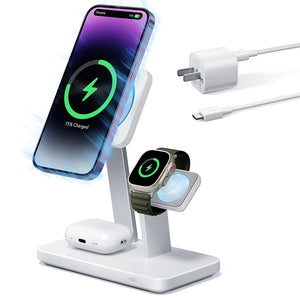
      • Station de charge sans fil 3 en 1 Qi2 avec CryoBoost (HaloLock) - Black - US Plug

      • All Chargement sans fil >
      Chargeur et supports de voiture
      • Chargeur magnétique de voiture OmniLock (25W, CryoBoost, Grille d'aération) - Black

      • Chargeur de voiture sans fil Qi2 avec CryoBoost (HaloLock) - Black

      • Support magnétique de voiture OmniLock (ventouse) - Black

      • Chargeur de voiture magnétique sans fil Qi2 (HaloLock) - Black

      • All Chargeur et supports de voiture >
      Supports de charge
      • Chargeur magnétique de voiture OmniLock (25W, CryoBoost, Grille d'aération) - Black

      • Station de recharge 5-en-1 de 65 W (HaloLock) - EU Plug

      • Set de recharge sans fil pour Watch Qi2 3 en 1 (HaloLock) - Black - EU PLUG

      • mini Chargeur sans fil Qi2 à béquille (HaloLock) - Black

      • All Supports de charge >
      Coques MagSafe
      • Coque magnétique hybride classique pour iPhone 17 Pro Max (commande de la caméra, support Stash) - Clear

      • Pack iPhone 17 Pro Max Coque magnérique hybride Classique (commande de la caméra, support Stash) et protecteur d’écran Armorite Pro - Clear

      • iPhone 17 Pro Max Bundle Classic Hybrid Magnetic Case (Stash Stand) and Armorite Pro Privacy Screen Protector - Clear

      • iPhone 17 Pro Max Bundle Classic Hybrid Magnetic Case (Camera Control, Stash Stand) and Armorite Screen Protector - Frosted Orange

      • All Coques MagSafe >
      Porte-cartes pour MagSafe
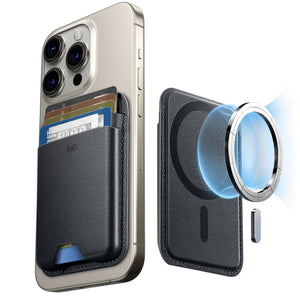
      • Porte-cartes magnétique Geo avec support (Boucle) - Midnight Black

      • Porte-cartes Boost (HaloLock) - Black

      • Classic Magnetic Wallet Stand for 5 cards - Black Carbon Fiber

      • Porte-cartes magnétique Boost (HaloLock) - Black

      • All Porte-cartes pour MagSafe >
      Anneaux et supports muraux MagSafe
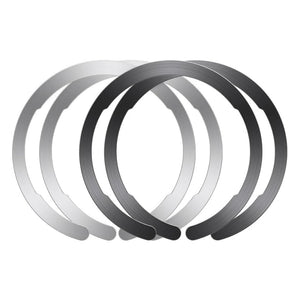
      • Anneau Universel (HaloLock) - Black/Silver-4 Pack

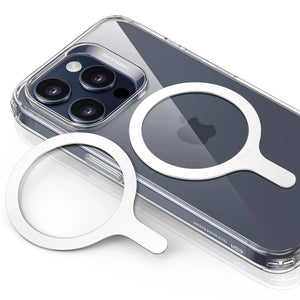
      • Anneau Universel 360 (HaloLock) - White-2 Pack

      • All Anneaux et supports muraux MagSafe >
      Meilleurs packs MagSafe
      • Wireless Charger Bundle - Black

      • Pack iPhone 16 Pro à emporter au quotidien - Clear

      • Pack iPhone 16 Pro Max à emporter au quotidien - Clear

      • Pack de chargement sans fil pour iPhone 16 Pro Max - Clear

      • All Meilleurs packs MagSafe >
      Chargeurs bureau
      • Station de recharge 6-en-1 de 100 W avec MagSafe + CryoBoost - EU Plug

      • Chargeur sans fil 3-en-1 de 25 W avec MagSafe + CryoBoost - EU Plug

      • mini Chargeur sans fil Qi2 à béquille (HaloLock) - Dark Blue

      • Set de recharge sans fil pour Watch Qi2 3 en 1 (HaloLock) - Black - EU PLUG

      • All Chargeurs bureau >
      Chargeurs de voiture
      • Chargeur magnétique de voiture OmniLock (25W, CryoBoost, Grille d'aération) - Black

      • Chargeur de voiture sans fil Qi2 avec CryoBoost (HaloLock) - Black

      • Support magnétique de voiture OmniLock (ventouse) - Black

      • Chargeur de voiture magnétique sans fil Qi2 (HaloLock) - Black

      • All Chargeurs de voiture >
      Essentiels de voyage
      • Chargeur magnétique de voiture OmniLock (25W, CryoBoost, Grille d'aération) - Black

      • Set de recharge sans fil Qi2 3 en 1 de voyage avec pochette - Black - EU Plug

      • Porte-cartes magnétique Geo avec support (Boucle) - Midnight Black

      • Porte-cartes Boost (HaloLock) - Black

      • All Essentiels de voyage >
      Puissance pour l’espace de travail
      • Étui clavier magnétique Rebound 360 pour iPad Air 11" (2025) - Disposition américaine - Noir

      • iPad Air 10.9” (5th/4th Gen), and Pro 11” (4th/3rd/2nd/1st Gen) Rebound Magnetic Keyboard Case 360 - DE Layout-Black

      • Coque clavier Flex détachable iPad 11" (A16) 2025 - US Layout-Pink

      • iPad Pro 13" (2024) Shift Keyboard Case (Detachable) - US Layout - Dark Gray

      • All Puissance pour l’espace de travail >
      Technologie Localiser
      • Porte-cartes Classic Geo - Black Carbon Fiber

      • Pencil numérique Geo avec fonction Localiser intégrée - White

      • Porte-cartes magnétique Geo avec support (Boucle) - Midnight Black

      • Geo Wallet with Find My - Black Carbon Fiber

      • All Technologie Localiser >
      Guide de cadeaux
      • Coque magnétique hybride classique pour iPhone 17 Pro Max (commande de la caméra, support intégré) avec pack porte-cartes avec support - Clear

      • Porte-cartes Boost (HaloLock) - Brown

      • Set de recharge sans fil Qi2 3 en 1 de voyage - White - US Plug

      • Pack iPhone 17 Pro Max Coque magnétique robuste série Cyber (commande de la caméra, support Stash) et chargeur magnétique (Qi2) - Orange

      • All Guide de cadeaux >
  • Protection par appareil
    • Tous les étuis
      • iPhone🔥
      • iPad🔥
      • Airpods🔥
      • Samsung
    • Protection d'écran
      • iPhone
      • iPad🔥
      • Apple Watch et Airtag
      • Samsung
    • Productivité de l'iPad
      • Coques clavier🔥
      • Stylets
    • Accessoires
      • Tous les accessoires
      • iPhone 17🔥
      • iPhone 17 Pro Max🔥
      • iPhone 17 Pro🔥
      • iPhone Air🔥
      • iPhone 17🔥
      • iPhone 16
      • iPhone 16e
      • iPhone 16 Pro Max
      • iPhone 16 Pro
      • iPhone 16 Plus
      • iPhone 16
      • iPhone 15
      • iPhone 15 Pro Max
      • iPhone 15 Pro
      • iPhone 15 Plus
      • iPhone 15
      • iPhone 14
      • iPhone 14 Pro Max
      • iPhone 14 Pro
      • iPhone 14 Plus
      • iPhone 14
      • iPhone 13
      • iPhone 13 Pro Max
      • iPhone 13 Pro
      • iPhone 13
        Choisissez votre appareil
      • iPad Pro 13 (2025)🔥
      • iPad Pro 11 (2025)🔥
      • iPad 11e génération (2025)🔥
      • iPad Air 13 (2025)
      • iPad Air 11 (2025)
      •  
      • iPad Pro 13 (2024)
      • iPad Pro 11 (2024)
      • iPad Air 13 (2024)
      • iPad Air 11 (2024)
      • iPad mini 7 (2024)
      •  
      • iPad Pro 12.9 (2022)
      • iPad Pro 11 (2022)
      • iPad Air 5/4 (2022)
      • iPad 10e génération (2022)
      •  
      • iPad mini 6 (2021)
      • iPad Pro 12.9 (2021)
      • iPad Pro 11 (2021)
      • iPad Pro 11 (2020)
        Choisissez votre appareil
      • AirPods Pro 3🔥
      • AirPods 4
      • AirPods Pro (2023/2022/2019)
      • AirPods 3
        Galaxy S25
      • Galaxy S25 Ultra
      • Galaxy S25+
      • Galaxy S24
      • Galaxy S24 Ultra
      • Galaxy S24+
      • Galaxy S24
      • Galaxy S23
      • Galaxy S23 Ultra
      • Galaxy S23
        iPhone 17🔥
      • iPhone 17 Pro Max🔥
      • iPhone 17 Pro🔥
      • iPhone Air🔥
      • iPhone 17🔥
      • iPhone 16
      • iPhone 16e
      • iPhone 16 Pro Max
      • iPhone 16 Pro
      • iPhone 16 Plus
      • iPhone 16
      • iPhone 15
      • iPhone 15 Pro Max
      • iPhone 15 Pro
      • iPhone 15 Plus
      • iPhone 15
      • iPhone 14
      • iPhone 14 Pro Max
      • iPhone 14 Pro
      • iPhone 14 Plus
      • iPhone 14
      • iPhone 13
      • iPhone 13 Pro Max
      • iPhone 13/13 Pro
        Choisissez votre appareil
      • iPad Pro 13 (2025)🔥
      • iPad Pro 11 (2025)🔥
      • iPad 11e génération (2025)🔥
      • iPad Air 13 (2025)
      • iPad Air 11 (2025)
      •  
      • iPad Pro 13 (2024)
      • iPad Pro 11 (2024)
      • iPad Air 13 (2024)
      • iPad Air 11 (2024)
      •  
      • iPad Pro 12.9 (6e/5e/4e/3e génération)
      • iPad Pro 11 (4e/3e/2e/1re génération)
      • iPad Air 5/4 (2022)
      • iPad 10e génération (2022)
      •  
         
      • Apple Watch et Airtag
        Galaxy S25
      • Galaxy S25 Ultra
      • Galaxy S24
      • Galaxy S24 Ultra
      • Galaxy S23
      • Galaxy S23 Ultra
      • Galaxy S23+
      • Galaxy S23
      • Galaxy S22
      • Galaxy S22 Ultra
        Choisissez votre appareil
      • iPad Pro 13 (2025)🔥
      • iPad Pro 11 (2025)🔥
      • iPad 11e génération (2025)🔥
      • iPad Air 13 (2025)
      • iPad Air 11 (2025)
      •  
      • iPad Pro 13 (2024)
      • iPad Pro 11 (2024)
      • iPad Air 13 (2024)
      • iPad Air 11 (2024)
      •  
      • iPad Pro 12,9 (6e/5e/4e/3e)
      • iPad Pro 11 (4e/3e/2e/1er)
      • iPad Air 5/4 (2022)
      • iPad 10e génération (2022)
         
      • Stylets
         
      • Portefeuille magnétique
      • Anneaux et supports MagSafe
      • Autres accessoires
  • Keyboard
    • iPad Pro 13 (2025)🔥
    • iPad Pro 11 (2025)🔥
    • iPad 11e génération (2025)🔥
    • iPad Air 13 (2025)
    • iPad Air 11 (2025)
    • iPad Pro 13 (2024)
    • iPad Pro 11 (2024)
    • iPad Air 13 (2024)
    • iPad Air 11 (2024)
    • iPad Pro 12,9 (6e/5e/4e/3e)
    • iPad Pro 11 (4e/3e/2e/1er)
    • iPad Air 5/4 (2022)
    • iPad 10e génération (2022)
    • Stylets
    • Wireless Mouse
  • ❤️Soldes de la Saint-Valentin❤️
  • Nouvelle arrivée
    • iPad Pro 2025🔥
    • iPhone 17 Series🔥
    • AirPod Pro 3🔥
    • Chargement sans fil Qi2 15 W
    • iPad série 2025
  • Super Utilisateur
    • Devenez un Super Utilisateur ESR
    • Members' Exclusive Deals
    • Référer vos amis, gagnez du CashBack
    • Mes commandes
  • Soutien
    • Contactez-nous
    • Vidéos et FAQ sur les produits
    • FAQ générales
    • Statut de la commande
    • Politique de retour et de remboursement
    • Politique de garantie
    • Politique d'expédition
  • Explorer
    • À propos de nous
    • Blog ESR
    • Rédaction
    • Devenir revendeur
Compte Chariot 0
North America
Europe
Asia Pacific
Middle East
United States
🌐 International
Allemagne
EUR €
Autriche
EUR €
Belgique
EUR €
Bulgarie
EUR €
Croatie
EUR €
Danemark
EUR €
Espagne
EUR €
Estonie
EUR €
Finlande
EUR €
France
EUR €
Grèce
EUR €
Hongrie
EUR €
Irlande
EUR €
Italie
EUR €
Lettonie
EUR €
Lituanie
EUR €
Luxembourg
EUR €
Norvège
EUR €
Pays-Bas
EUR €
Pologne
EUR €
Portugal
EUR €
Roumanie
EUR €
Slovaquie
EUR €
Slovénie
EUR €
Suède
EUR €
Suisse
EUR €
Tchéquie
EUR €
English
français
Deutsch

Rechercher notre magasin

Compte Chariot 0
Recherches populaires:
iPad 2025 iPhone 16 camera control Qi2 Wireless Charging Magnetic Wallet
Tips & Guides

How to Draw on an iPad Pro (Complete Guide for Beginners 2020)

par Jessica sur Apr 20, 2020
How to draw on iPad Pro 2020? (Complete Guide for Beginners 2020)

Whether you’re an enthusiastic amateur or a professional artist, the iPad Pro is one of the best digital art tools out there. If you’ve never used one before, you might be wondering how it can be used to create digital art.

The main advantage of an iPad Pro is that it isn’t just a drawing tablet, so you’re free to choose what kinds of peripherals and drawing apps you like the most.

Hopefully, after reading this article you’ll be on your way to creating digital masterpieces!

Let’s get started!

How to draw on iPad Pro 2020 complete guide

General Art Tips

You CAN Draw

If you can write down a shopping list, you have the mechanical ability to create marks on a page. Not everyone starts at the same level, but we’re all unified by our need to practice constantly. When you see your favorite digital artists drawing seemingly perfect lines and curves, rest assured that they weren’t born being able to do that.

As with all forms of artistic expression, it’s easy to overthink it and get discouraged, especially when you compare yourself to the artists that inspired your interest in the first place. Don’t focus on the destination, but rather the progress you’re making.  

Look and See

Plagiarism’s bad, obviously, but even the best artists take a page out of other artists’ books. Think about the artists that inspired you to take up art, and the specific things you like about their art. There’s a reason why art students spend so much time sketching other works. If you wanna make art, you gotta look at art.

Go Your Own Path

That said, you can’t spend your entire artistic career just making copies. A lot of learn-to-draw tutorials only ever get you to make line-for-line copies of photos or other artworks, without teaching you the fundamentals that you’ll actually need. While copying other artworks can be a valuable learning tool, don’t just copy. Think about what you’re copying, and why the artist originally chose to do it that way.

  • 20%off-Blog-banner

Even when you’re sketching something, remember that this is for your sake. You have artistic license to include or exclude, and to emphasize or deemphasize whatever you want. Don’t limit yourself creatively in the interest of making an exact copy.

Practice, Practice, Practice

We’ve already sort of mentioned this, but it’s important enough that it bears repeating. If you want to try drawing something, draw it. If you don’t think you’d be able to draw something, draw it. Drawing anything and everything is a good habit to get into, and it’s one of the best ways to improve.

Key Accessories

Get a Paper-Like or Matte Screen Protector

There are a lot of different kinds of iPad screen protectors out there, all with their own benefits. If you plan on using your iPad like a Cintiq or Wacom tablet, you should definitely get one made of PET. The best are the ones that are designed to feel like paper (still the best-feeling way of drawing, though far from convenient), but any screen film with a matte finish will still help. It’s essential that you be able to see your screen when drawing, and a matte protector will reduce glare dramatically.

Recommended Products: iPad Pro 11 2020/2018 Matte Screen Protector

iPad Pro 11 20202018 Matte Screen Protector 6

Take Advantage of Procreate’s StreamLine Mode

Procreate is one of the most popular digital art apps out there, and for good reason. One of its many benefits is its StreamLine mode, which helps stabilize your strokes, keeping them smooth and even. It’s a fantastic tool for when you’re lettering or inking, and is a fine example of the advantages of digital art over traditional mediums.

Find Brushes Online or Create Your Own

Everyone who’s dabbled in traditional painting has a few go-to brushes that they’re intimately familiar with. Your brush is the middle man between you and the canvas, so it’s obviously incredibly important. With digital art, you have an insane selection of brushes, even without including the brushes you can download online.

Of course, all those choices can be intimidating. Just like you should experiment with styles, you should experiment as much as you can with brush types. Once you’ve gotten more familiar with them, you’ll have a go-to brush for any situation. On the off chance that you can’t find a brush that suits your needs, you can also create your own.

Get Free Procreate Brushes for the iPad Pro:

https://inspirationhut.net/design-resources/230-free-procreate-brushes/

Use Grids

When you see a completed artwork, especially ones involving faces, what you don’t see is the number of reference lines and shapes the artist sketched in order to get the proportions right. Proportions are incredibly important in art, and even experienced artists are unlikely to simply wing it and draw freehand. If you’re just starting out, using your drawing app’s grid overlay can be an incredibly useful aide in getting the proportions correct. With enough practice, you’ll soon find that you don’t need the grid anymore.

Use Tons of Layers

Perhaps the single biggest advantage of digital art is the ability to create multiple independent layers. An understanding of layers is essential to everything from the rough initial sketch to the finishing touches (like coloring and shading). By creating discrete layers, you’ll be able to resize parts of your drawing independently of the other parts. Drew your head too small? If it’s on its own layer, just make it bigger!


Know Your Stylus

There are a lot of stylus options out there, though if you’re using the iPad Pro the best option is without a doubt the Apple Pencil 2. Regardless of which stylus you pick, the angle and pressure at which you apply pressure will have a significant impact on what kind of line you end up drawing. For example, drawing at a 45-degree angle tends to result in bolder, broader strokes. The more you play around with your stylus, the better you’ll understand how it reacts to your input.

Related image

Making Straight Lines in Procreate

Drawing a straight line is like a rite of passage for an artist, and you should try your best to learn how to draw a straight line freehand. That said, one rarely mentioned feature of Procreate, if you’re in a hurry, is the ability to easily and quickly create perfectly straight lines. All you have to do is to draw a line with your stylus, then hold the stylus there for a few seconds. No matter how wonky your line is, Procreate will automatically create a straight line between your starting point and your ending point, which you can then re-size and re-orient as you wish.


The Best Drawing Apps for the iPad Pro

  • Procreate

The king of digital art apps, Procreate is a powerful illustration, sketching, and painting app for the iPad Pro. It’s not free, costing $9.99, but it’s worth the price tag if you plan on seriously getting into art. With a whole suite of nifty tools, it’s an app used by professionals and amateurs alike. It also works great with an Apple Pencil.

  • Linea Sketch

Lines Sketch is the perfect option if you don’t plan on spending too much time on art. It comes with a straightforward and intuitive interface and provides you with several useful tools that work excellently with the Apple Pencil.

Linea Sketch’s main selling point is that it makes it super quick and easy to draw perfect shapes (including the ever-challenging circle). It also has a very easy-to-control color system that automatically generates tints and shades of the color you’ve selected, making it much easier to color your artworks consistently.

Furthermore, Linea Sketch supports layers, screen splitting, and more. Also, it lets export your projects as a PNG file, PSD file, or JPG file, so that you can easily access them on your computer.

  • Paper by WeTransfer

Paper is the perfect option if you’re after an accessible (and free) lightweight drawing app. It allows you to create several journals to keep your sketches or notes all in one place. It’s super easy to use, and it simply looks fantastic.

  • Affinity Designer

Affinity Designer is the perfect option if you’re working with vector graphics. It works on both phones and desktops. It also fully supports the Apple Pencil, taking into account things like angle and pressure.


  • Adobe Illustrator Draw

With its hefty price tag and the rise of several cheaper competitors, the Adobe Creative Suite perhaps isn’t quite as popular as it once was, but it’s still without the doubt the king. Adobe Illustrator Draw is a companion app to Adobe Illustrator, and gives you access to customizable brushes for stylizing, drawing, and designing vector graphics. Its main selling point is that it’s fully integrated with Adobe Illustrator, making it easy to switch between your iPad and computer.


  • Adobe Photoshop Sketch

Likewise, for non-vector drawing Adobe Photoshop is THE drawing program for computers, and Adobe Photoshop Sketch is its companion app. In addition to Photoshop integration, it offers a great selection of brushes, pens, and other tools.


  • Autodesk Sketchbook

Autodesk Sketchbook is the drawing app to try if you’re after a powerful but free option. This drawing app gives you a distraction-free, no-frills user interface, so you can focus on your artwork without the clutter of countless toolbars and menus.


  • Sketch Club 

Apple Pencil drawing on iPad Pro in Sketch Club app - YouTube

Sketch Club is a low-cost drawing app that comes with some excellent features. It’s excellent for beginners, but is suitable for advanced users as well. It gives you access to several tools, including filling tools, smudging tools, vector tools, and blurring tools.


  • Astropad Standard

Astropad Standard screenshot iTunes 2018 - DGiT

Astropad’s focus is not on drawing on the iPad itself, but rather using your iPad as a traditional graphics tablet like a Cintiq or Wacom. It mirrors your Mac’s screen onto your iPad, so you can see what you’re drawing on your computer screen while drawing on your tablet.

There’s a lot that goes into learning how to draw, but hopefully after reading this the idea of digital art seems a lot more approachable.

Précédent
6 Must-Have Accessories For Your New iPhone SE (2nd Gen) in 2020
Suivant
10 Best Mother’s Day Gifts & Ideas (Cheap but Practical) in 2020

Articles Liés

what-is-the-ipad-wallpaper-size

iPad Wallpaper Size Chart – All Models 2026 + Legacy (Air, Pro, Standard iPad (Entry-level))

iPad Not Charging Properly? Here’s What You’re Missing Today

iPad Not Charging Properly? Here’s What You’re Missing Today

Why ESR Qi2 is the Safest and Fastest Choice for Samsung

The Galaxy Charger Myth: Why Third-Party Qi2 is the Safest and Fastest Choice for Samsung

How to connect AirPods to your Apple or Android device

How to Connect AirPods to Mac, iPhone, and Other Devices

Laissez un commentaire

Votre adresse email ne sera pas publiée.

Instagram

Company

  • À propos de nous
  • Notre blog
  • Rédaction
  • Devenir revendeur

Products

  • Conçu pour MagSafe
  • Étuis de protection pour téléphones
  • Étuis pour iPad
  • Protecteurs d'écran
  • Chargement sans fil
  • Productivité
  • Portefeuilles magnétiques
  • Autres accessoires

Community

  • Mon compte
  • Programme d'affiliation

Support

  • Contactez-nous
  • Vidéos d'installation et FAQ
  • Statut de la commande
  • Retour et remboursement
  • Politique de garantie
  • Politique d'expédition
  • Modes de paiement

Options de paiement:
  • American Express
  • Diners Club
  • Discover
  • JCB
  • Mastercard
  • PayPal
  • Visa
  • Klarna Klarna
  • Afterpay
© 2026 ESR All rights reserved.
  • Conditions d'utilisation
  • politique de confidentialité
  • Déclaration légale
  • Politique relative aux cookies
  • Politique d'expédition
  • Retour et remboursement
  • Ne vendez pas et ne partagez pas mes informations personnelles
  • Recherche

Panier

Get a 15% off coupon when you

sign up

for free shipping!

€38,00
You're €38,00 away from Free Shipping!

€50,00
You're €50,00 away from Free Shipping!

Your Cart is Empty

Sign In / Register to view saved cart items
Shop Now
ESR_IMG

ESR_IMG

ESR_IMG

ESR_IMG

Total €0,00
Voir le panier

Thank you for choosing to transfer to a human service.

Sorry! The previous responses were from our AI customer service. Since it didn't satisfy you, you've been transferred to a human agent. We'll reply within 24 hours from Mon to Fri and 48 hours on weekends for further help.

Please select the reason for transfer